



Inbox
Review work, not chat logs. Every PR and draft comes with a summary.
Works with Claude Code, Codex, Cursor and Grok
Your agents pick up tasks and learn how your startup works. You review, steer and approve. They run on the plans you already pay for.
Free while in beta. macOS 14 or later.
Introducing HeroSpace
They write code, answer tickets and draft emails. Then the work sits in a terminal or a chat you never reopen, and nobody knows what is waiting on you.
Agents pick up tasks, read what your startup knows and bring their work back to you. You see everything in one place and keep the final say.
How it works
HeroSpace is not another AI. It is where the agents you already use come to work, so nothing runs without a place to report back.
Add HeroSpace to Claude Code, Codex, Cursor or Grok over MCP with one command. No new AI bill.
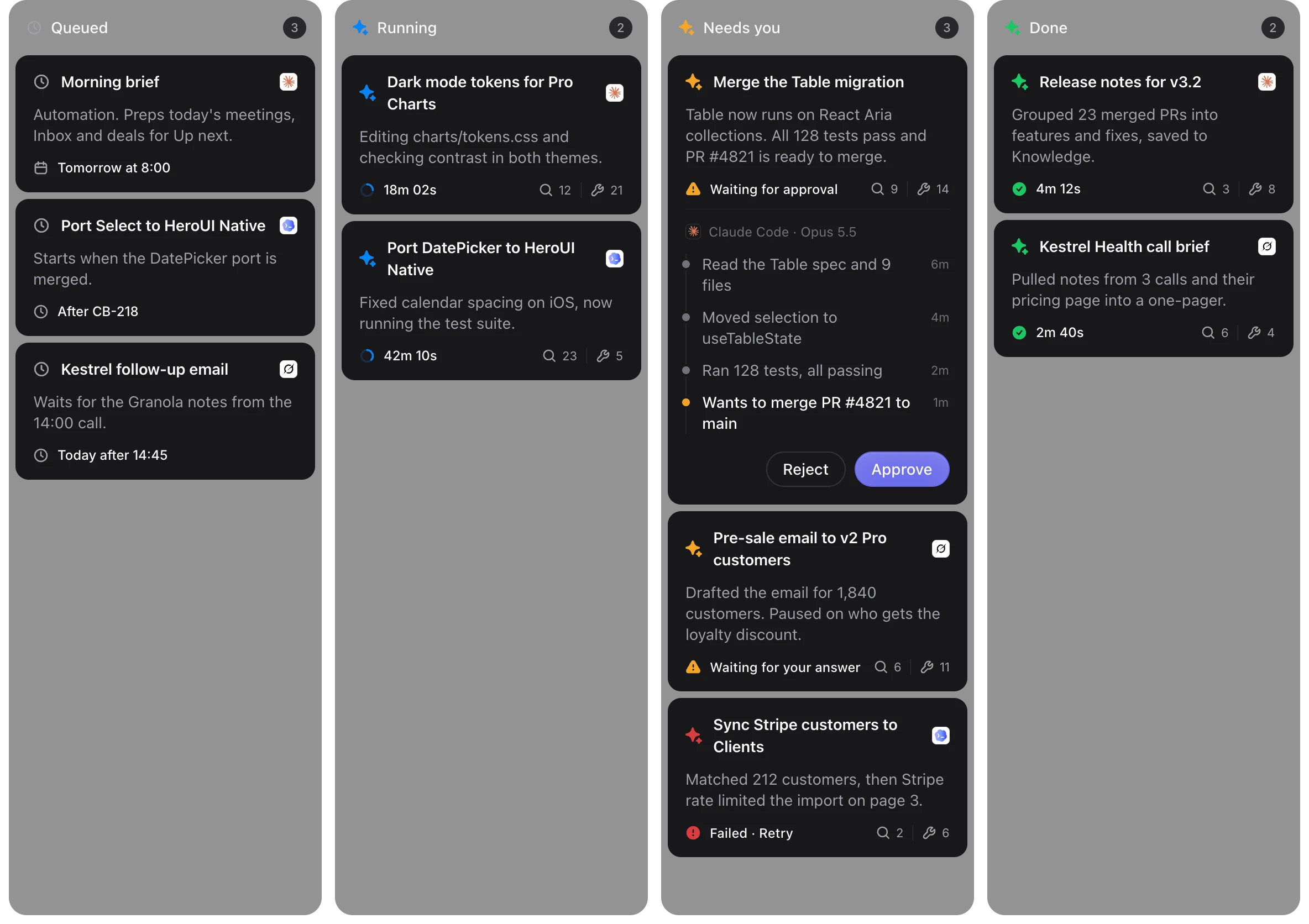
Tasks, tickets and follow-ups wait in one queue. Agents claim them and work in your tools.
Merging a PR, sending an email or issuing a refund waits in Inbox until you say yes.
Agents
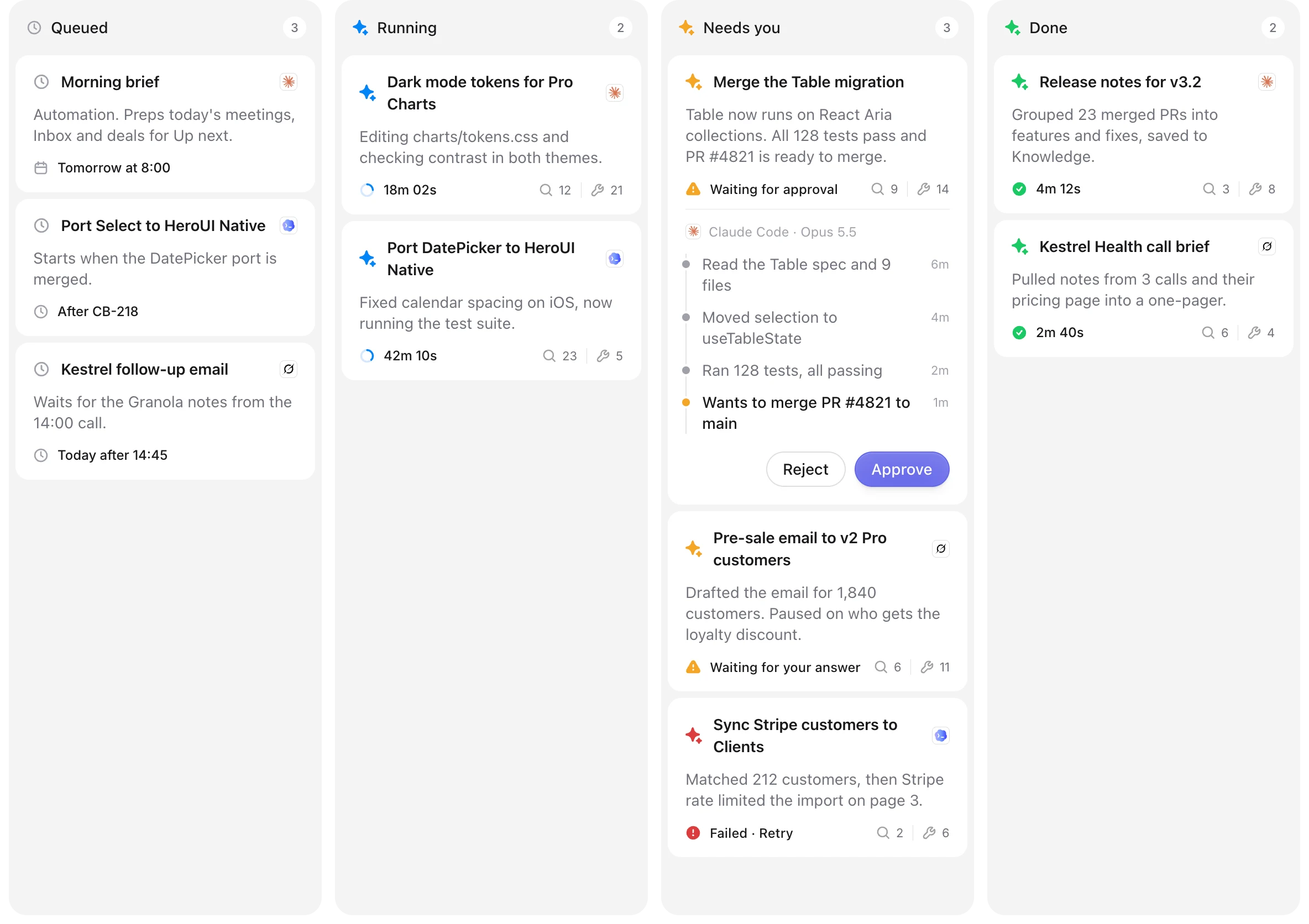
See what is queued, running or waiting on you. Each card shows the steps an agent took, so reviews take seconds.

Context
Customers, calls, deals, tickets, code and decisions are linked in one place. Every agent you connect reads the same context before it acts, so you never explain things twice.
Calls, tickets, invoices, deals and code attach to the customer they belong to, so nothing lives in a silo.
Connected sources
 Granola
 Plain
Plain Stripe
 GitHub
 Featurebase
Just ask
Ask from Claude Code, Codex or Cursor, wherever you already work. Your agent reads clients, notes, deals and calendar through HeroSpace, then brings the result back for you to review.

✻ Welcome to Claude Code
herospace MCP connected
Prep me for the Kestrel Health call at 14:00
Reading Kestrel Health from HeroSpace

Claude Code
Worked for 1m 12s
Kestrel Health is on Enterprise at $57,600 a year and renews Oct 28. On the last call they asked about pricing for 40 seats, so I added two options to the brief.
Pulled notes from the last call in Granola14sChecked invoices and seats in Stripe11s Saved the brief to the 14:00 meeting5s
Work
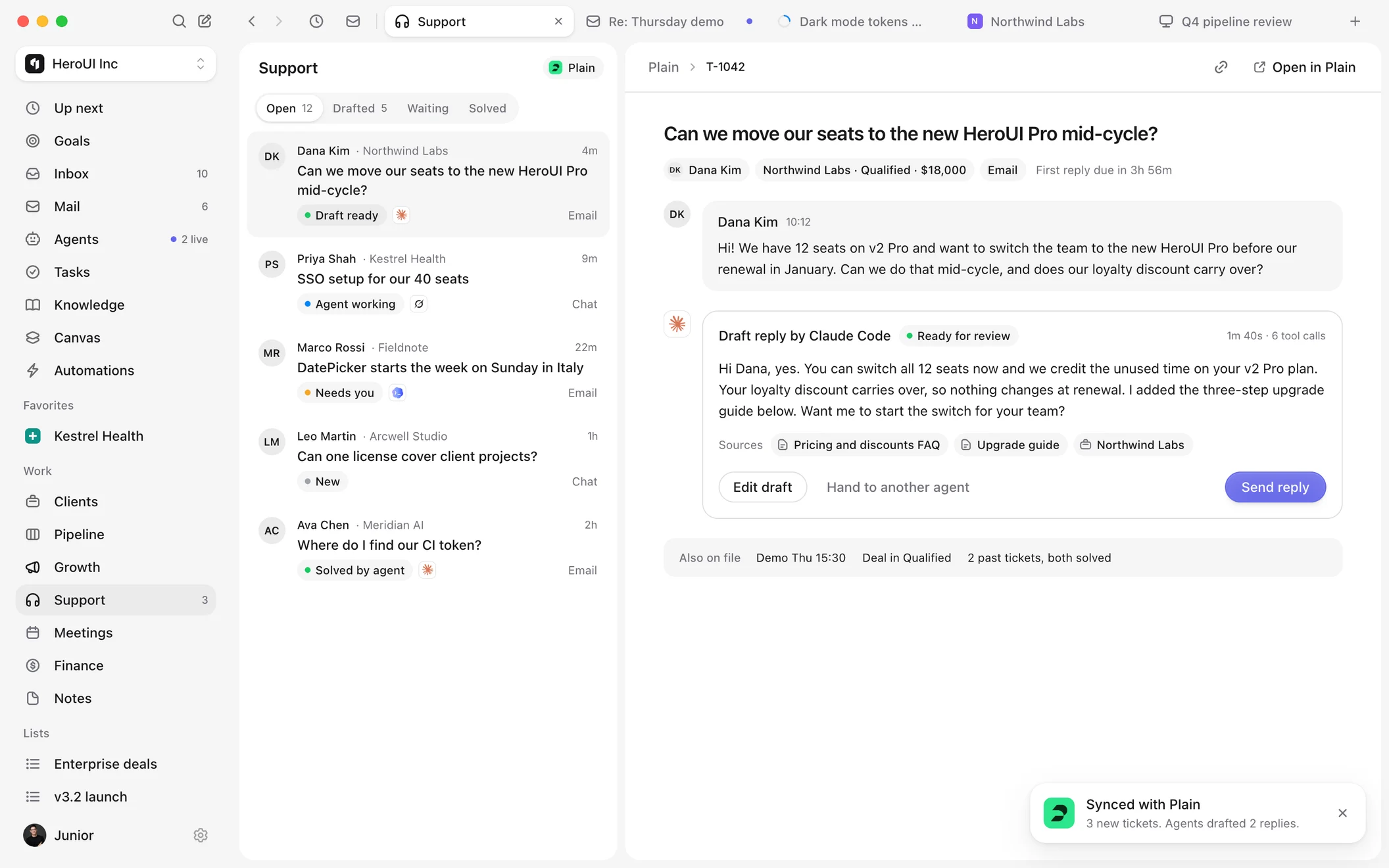
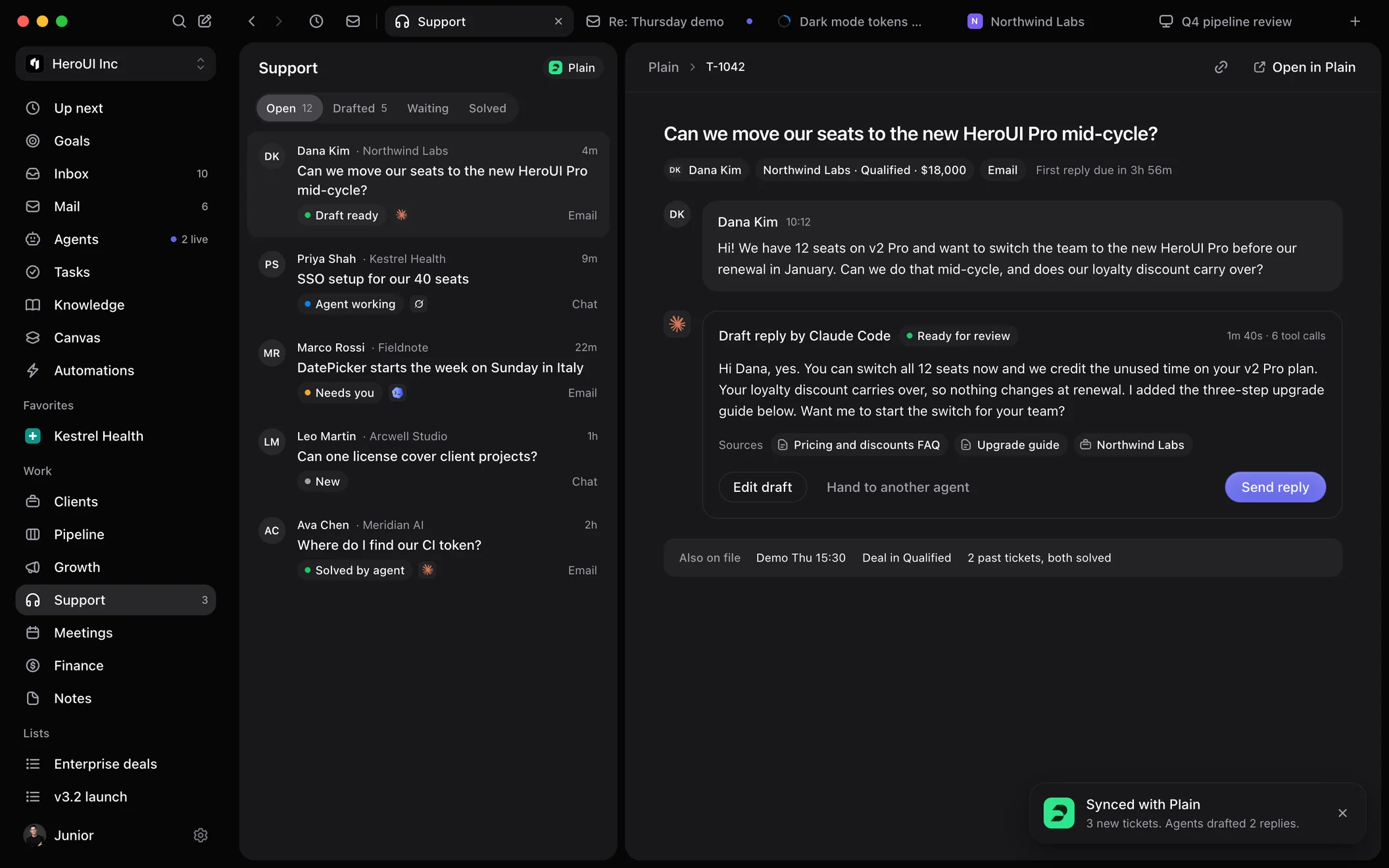
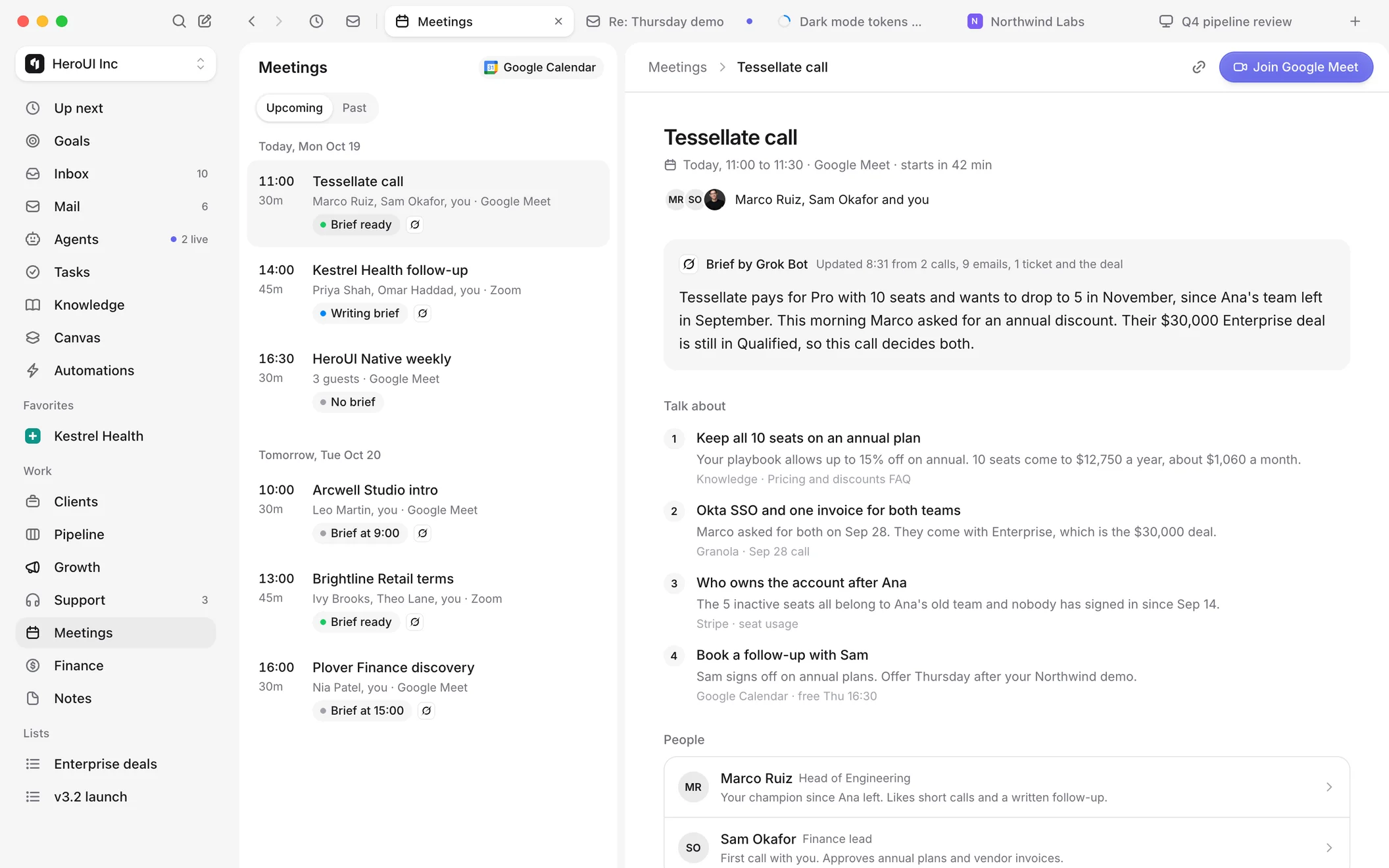
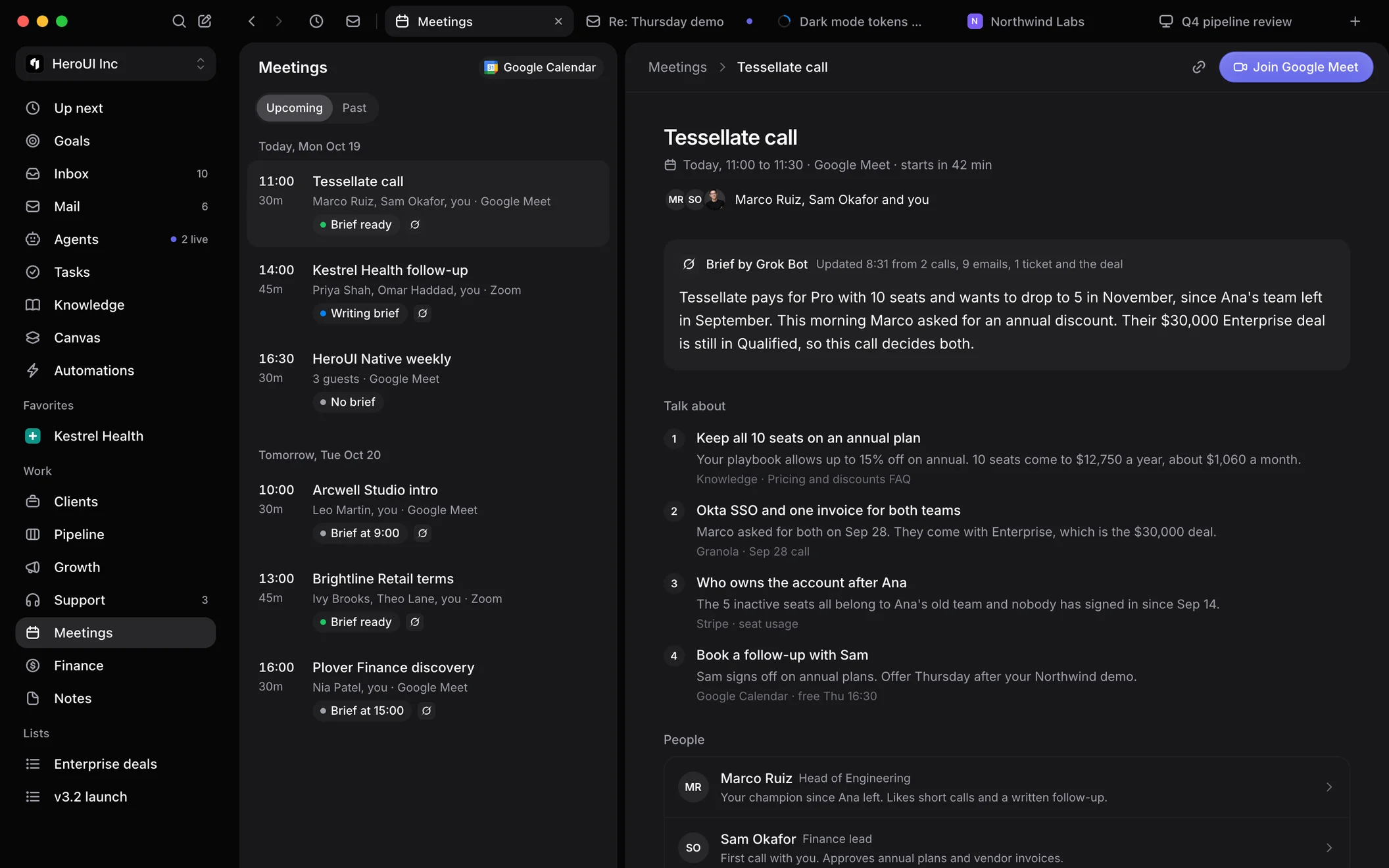
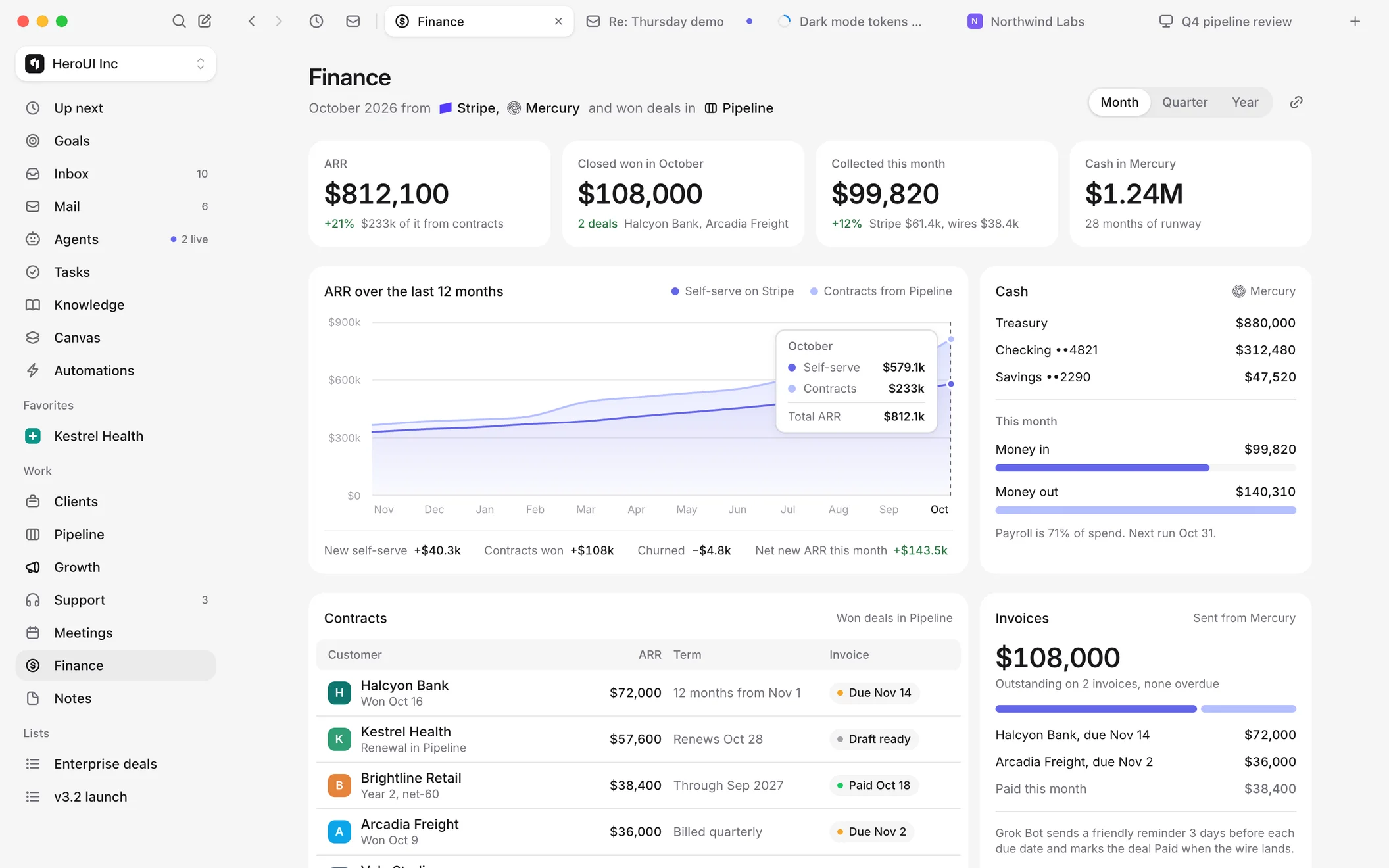
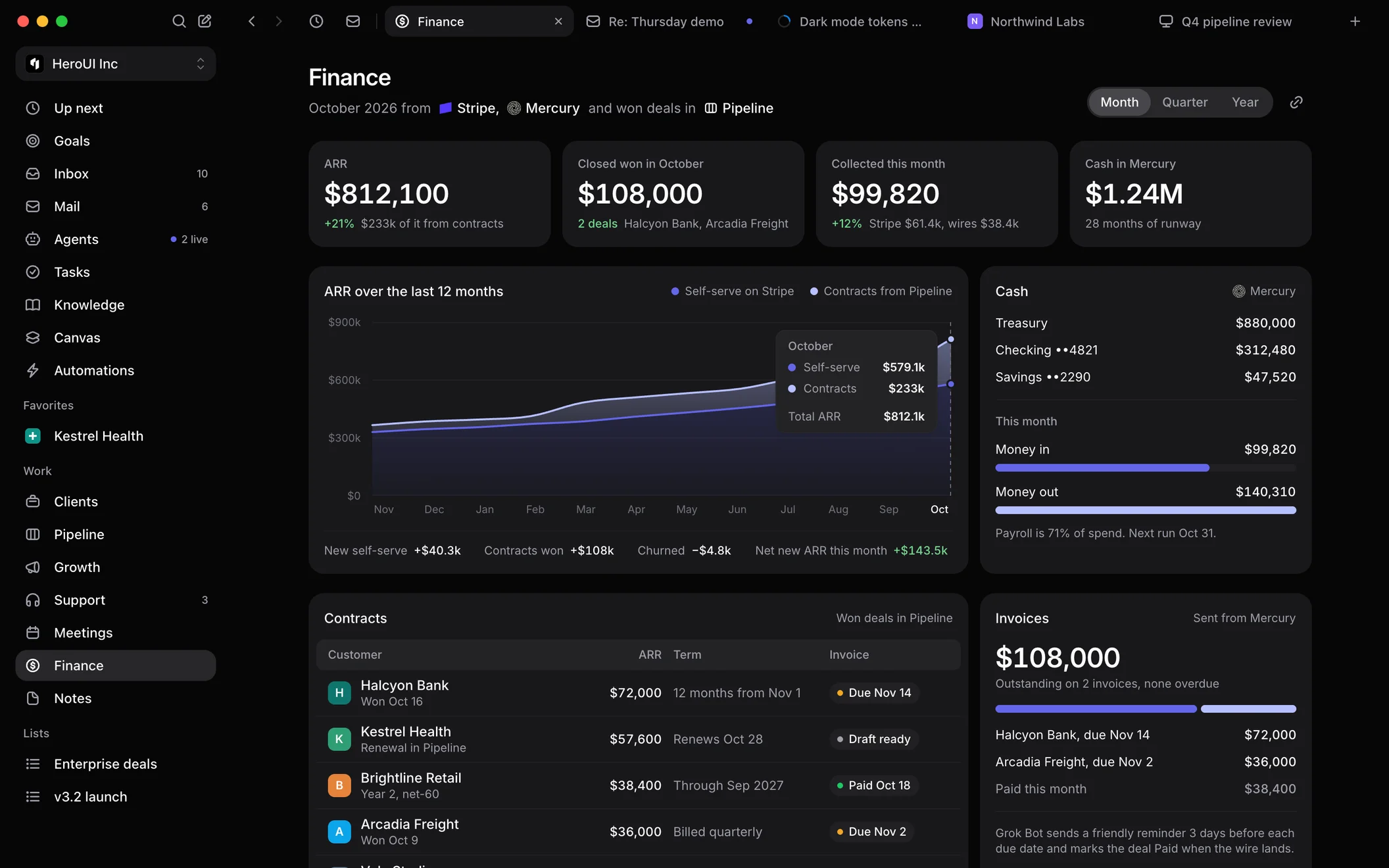
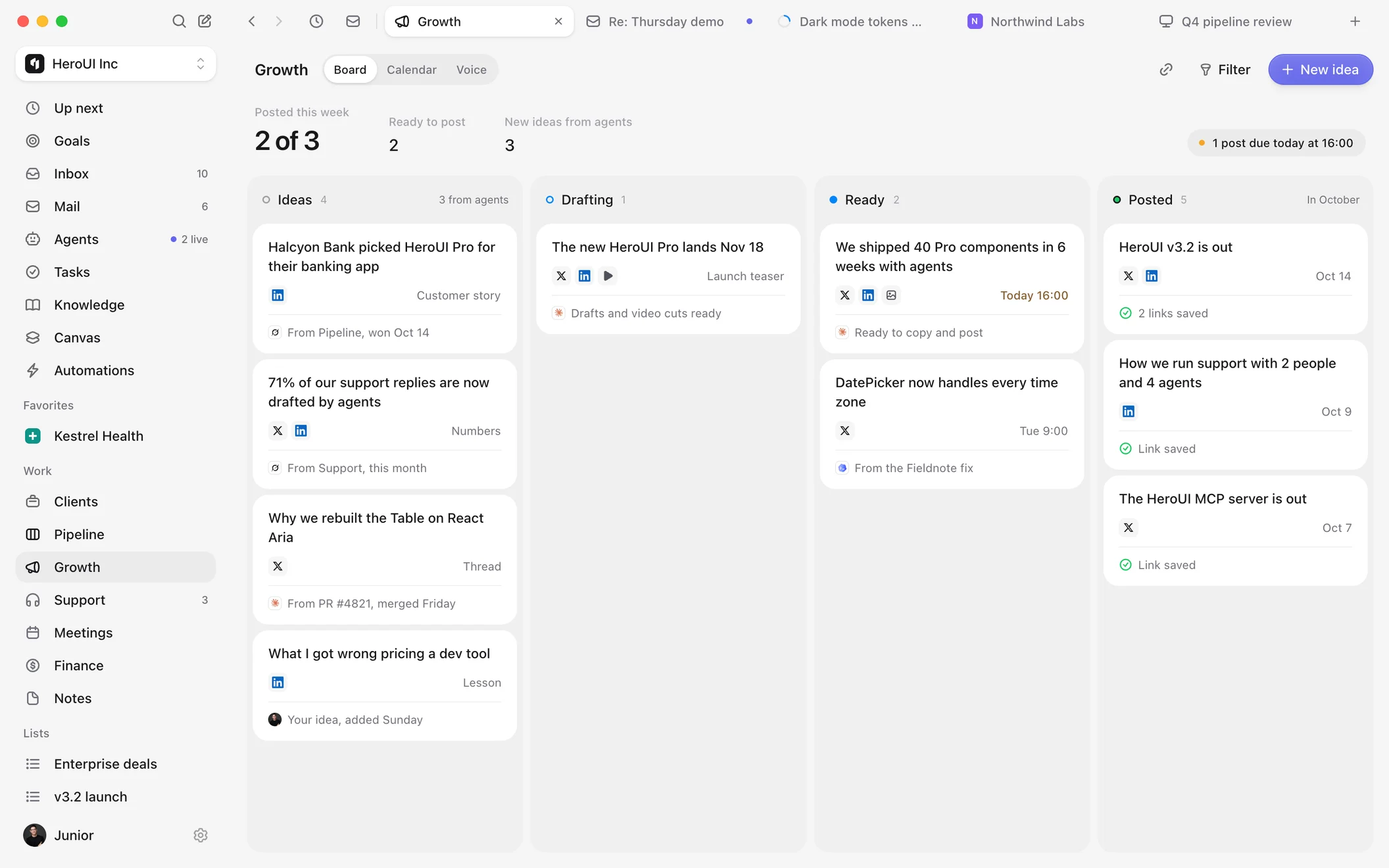
Pipeline, Clients, Support, Meetings, Finance and Growth come built in, so agents never work blind and you never switch tabs.
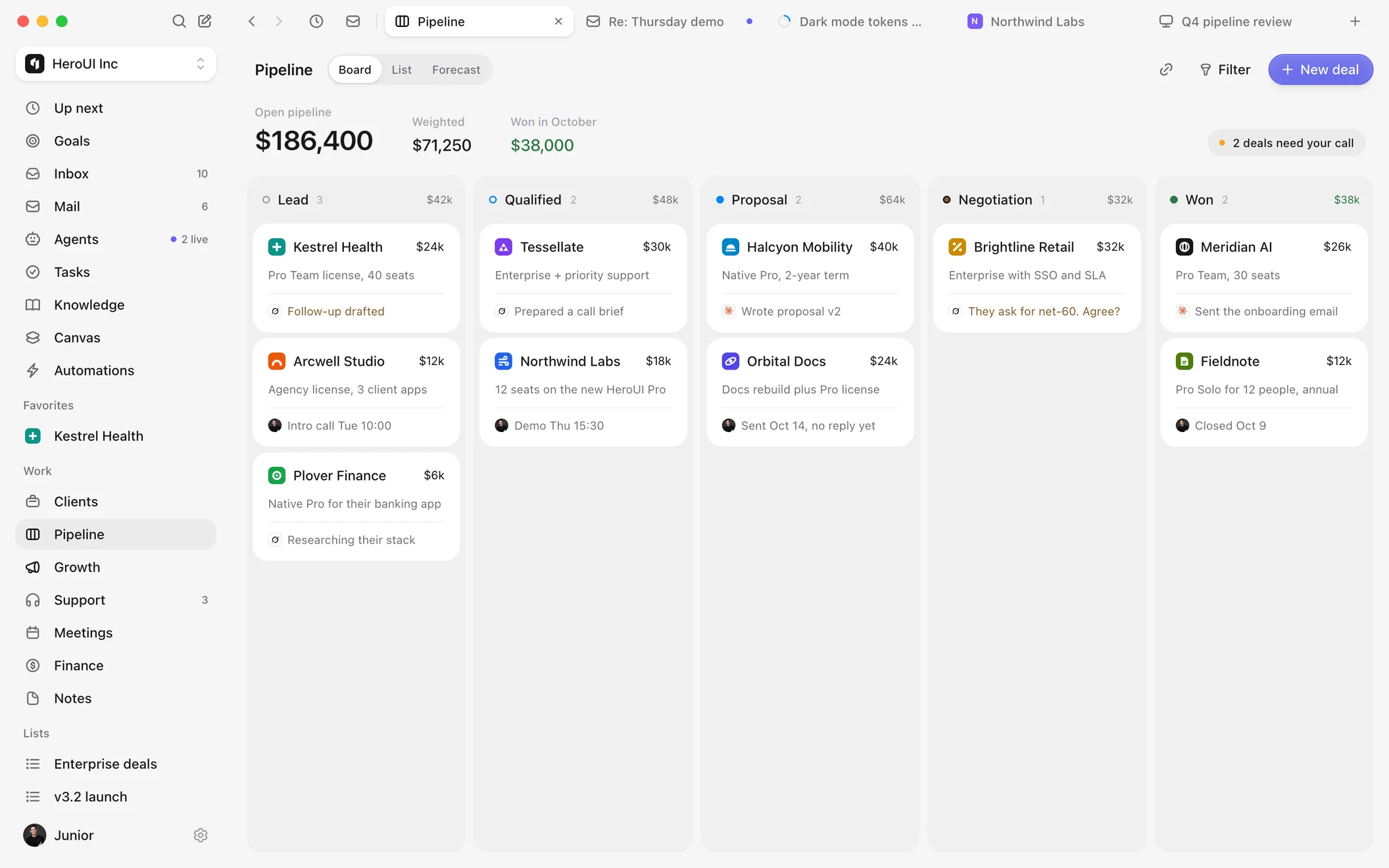
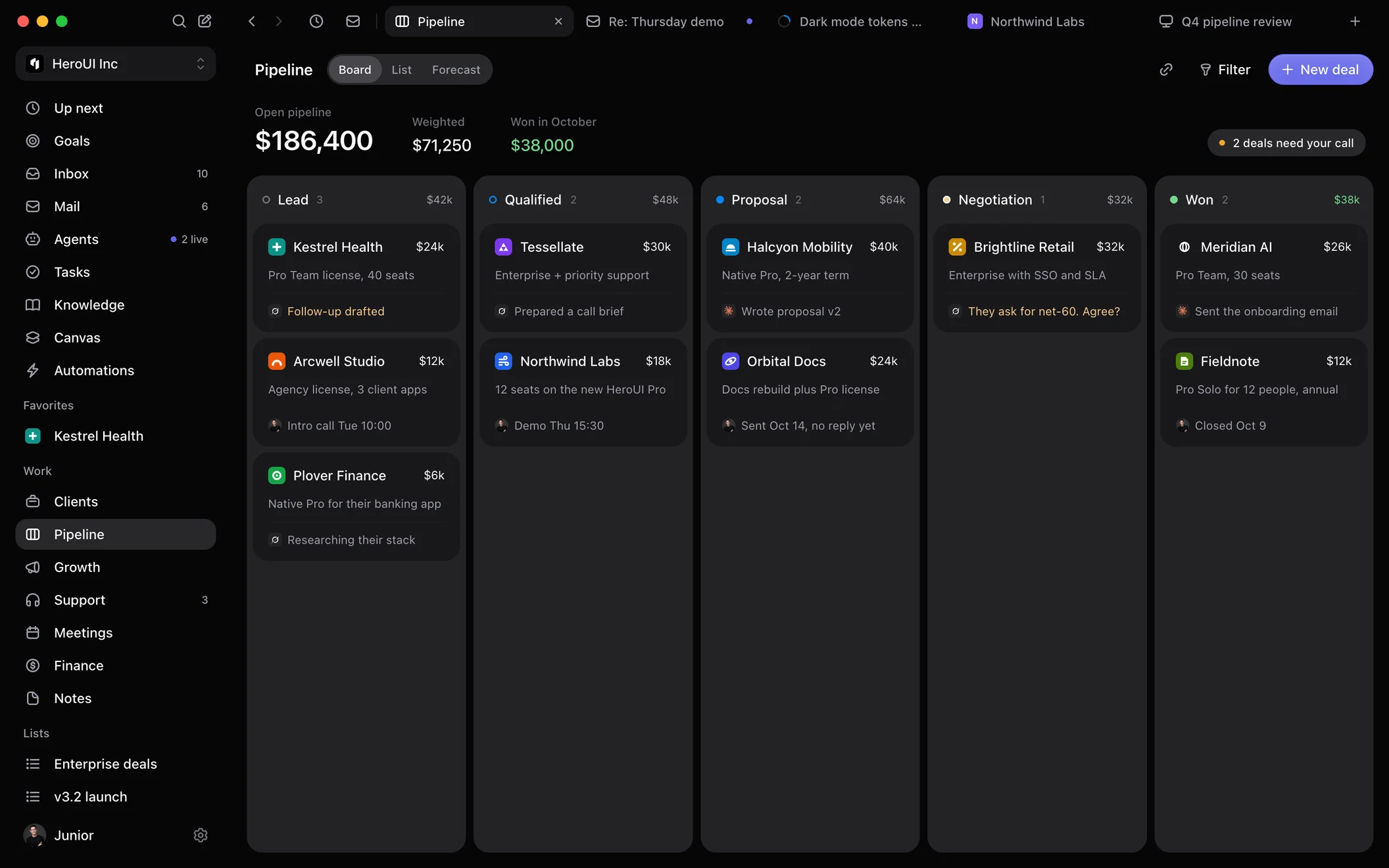
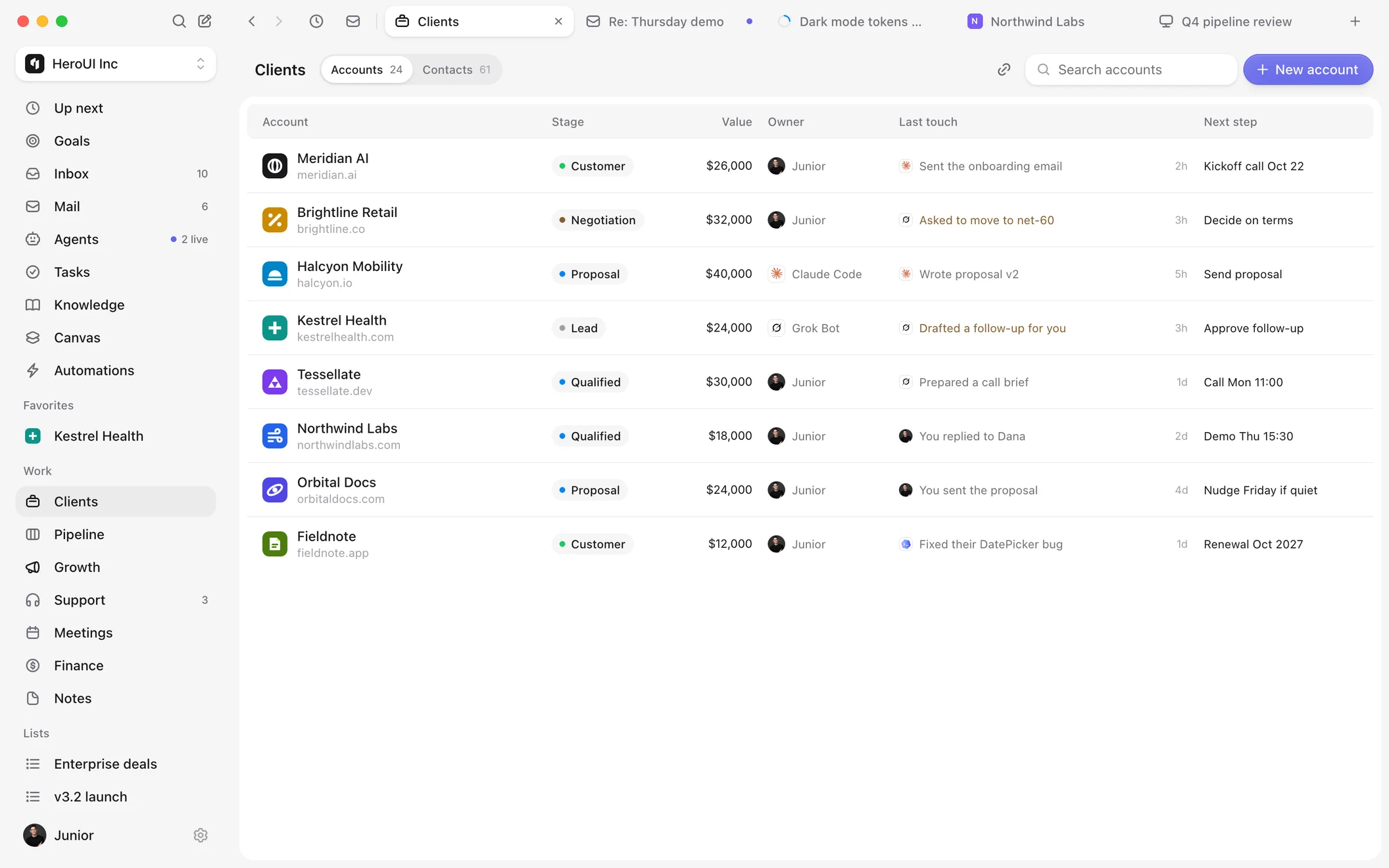
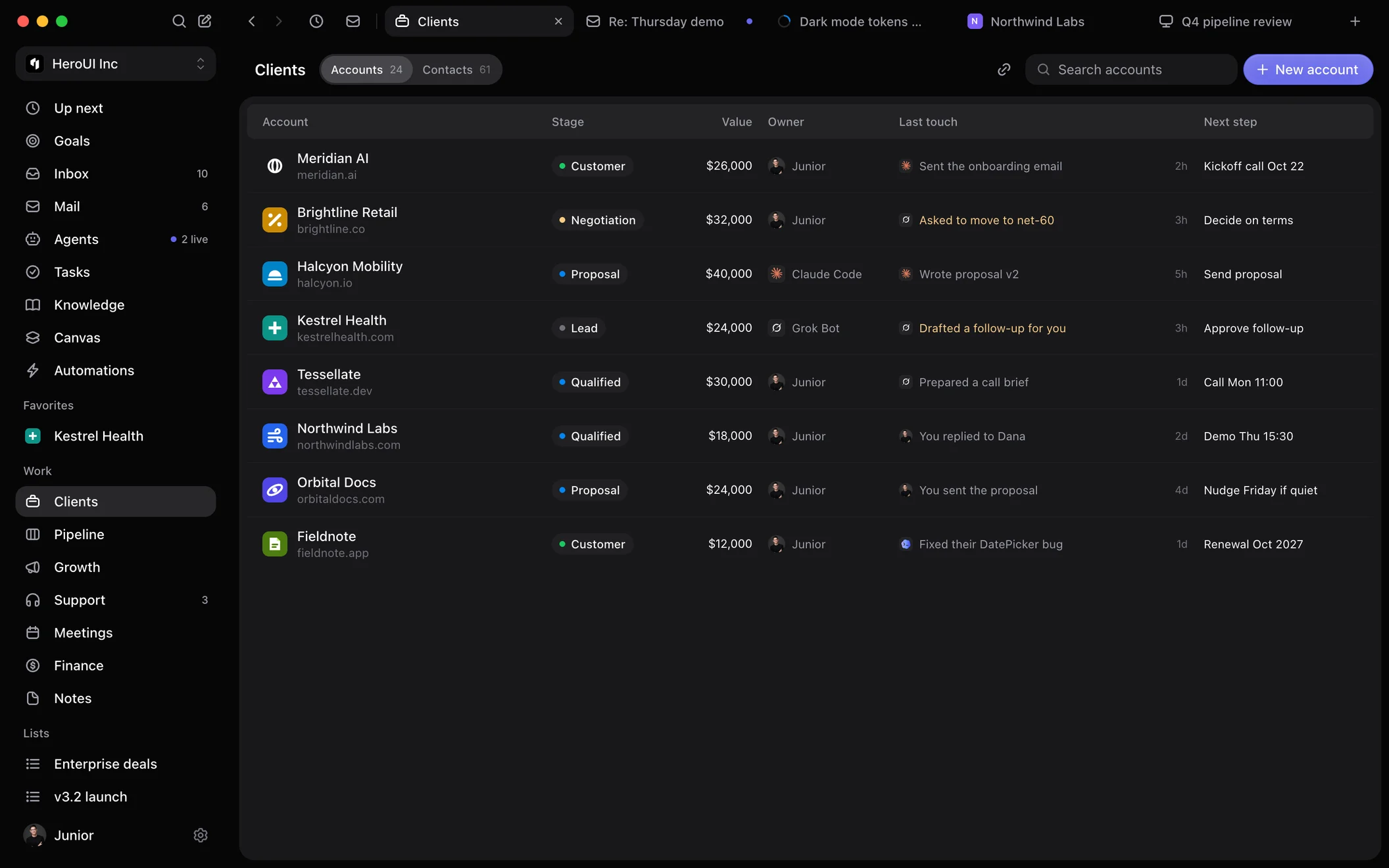
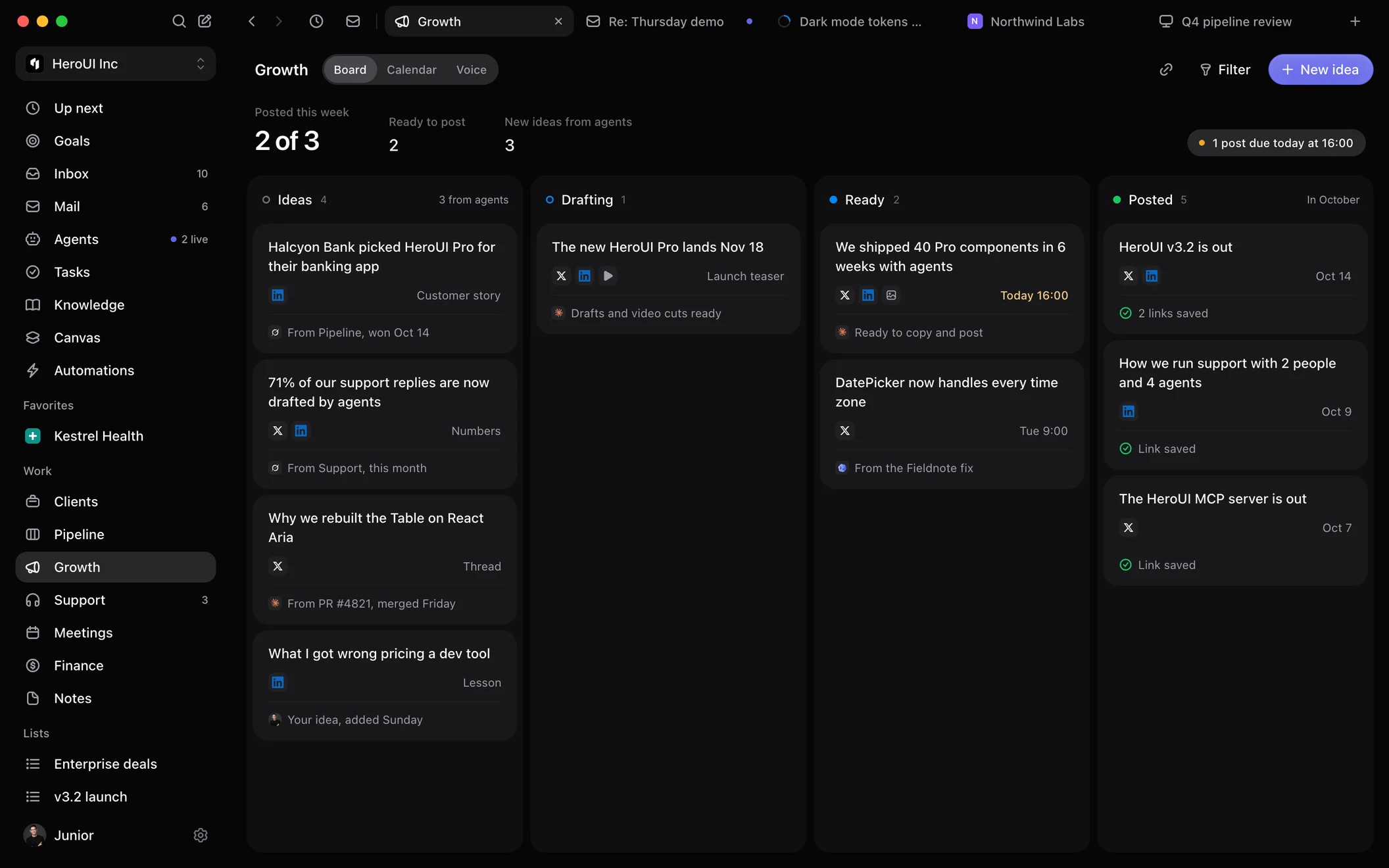
Agents log every email and call, draft follow-ups and flag deals that stall.
A brief before every call and Granola notes after.
Drafted from Knowledge, sent only when you say so.
ARR, cash and invoices from Stripe, Mercury and won deals.
X and LinkedIn drafts from your wins, ready to copy.
Built for founders
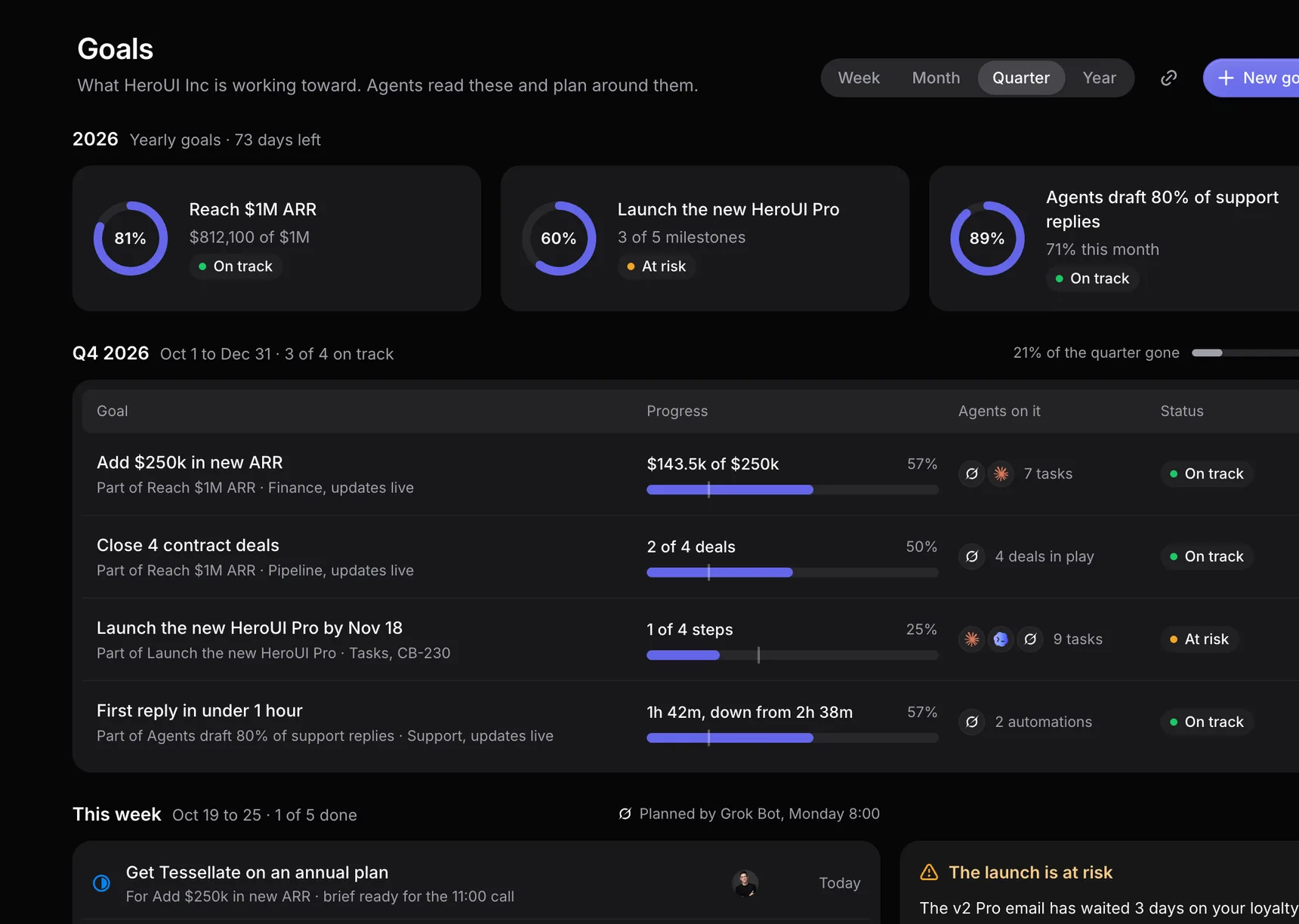
Set goals your agents work toward, get a brief before every meeting, and turn wins into posts that sound like you.
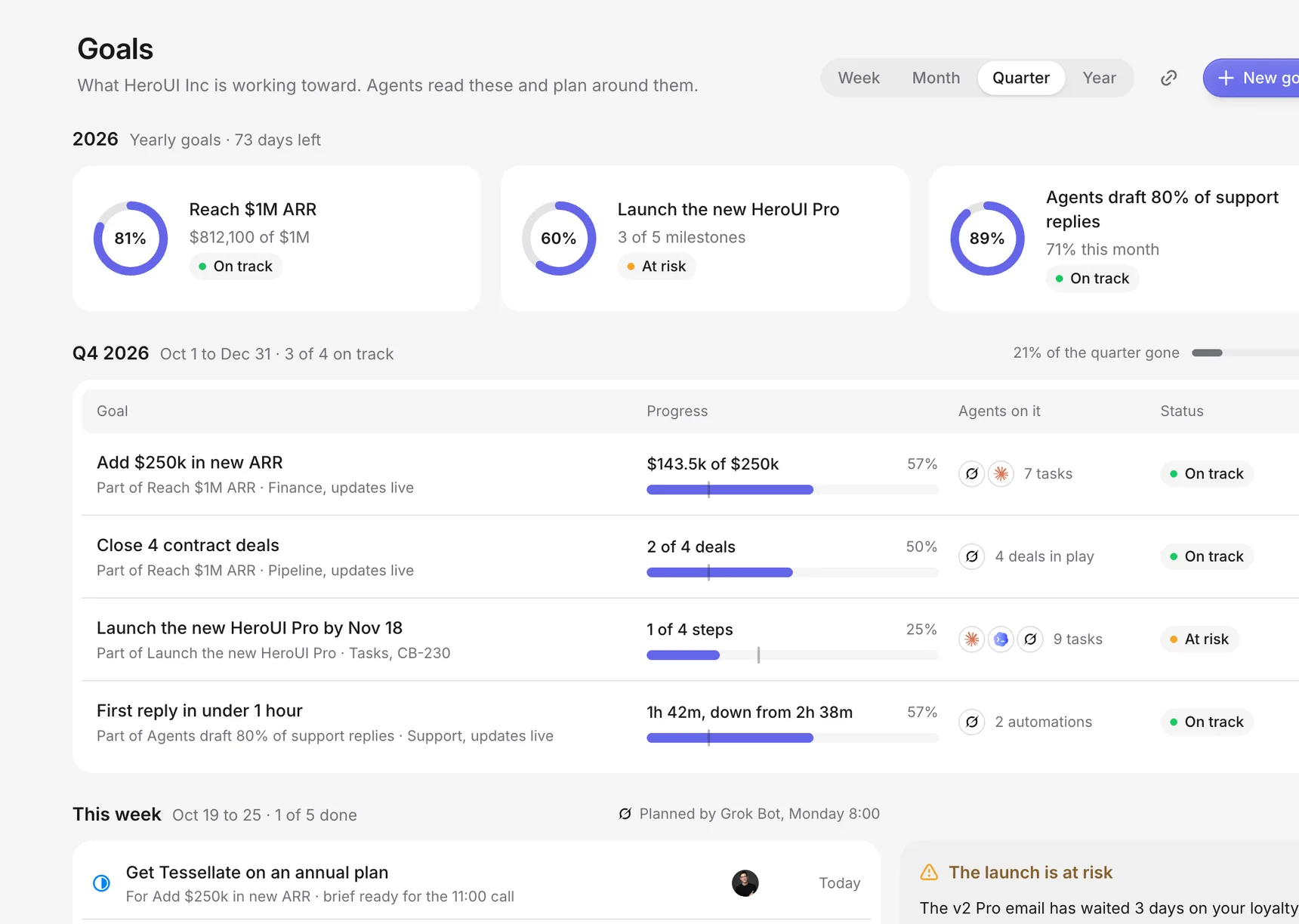
Goals
Weekly, quarterly and yearly goals that track themselves from Pipeline, Finance and Support. Every Monday an agent plans your week to hit them.

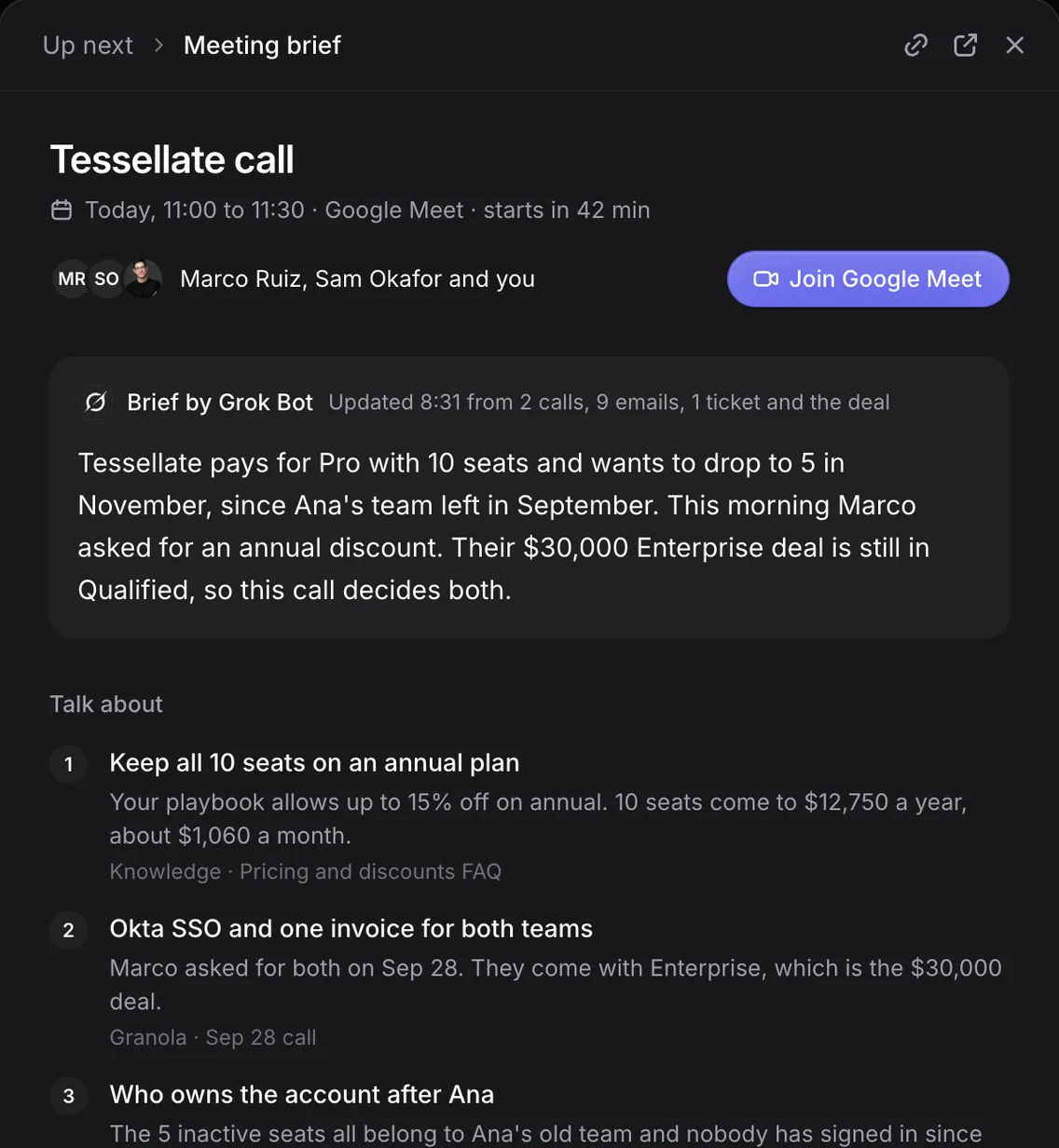
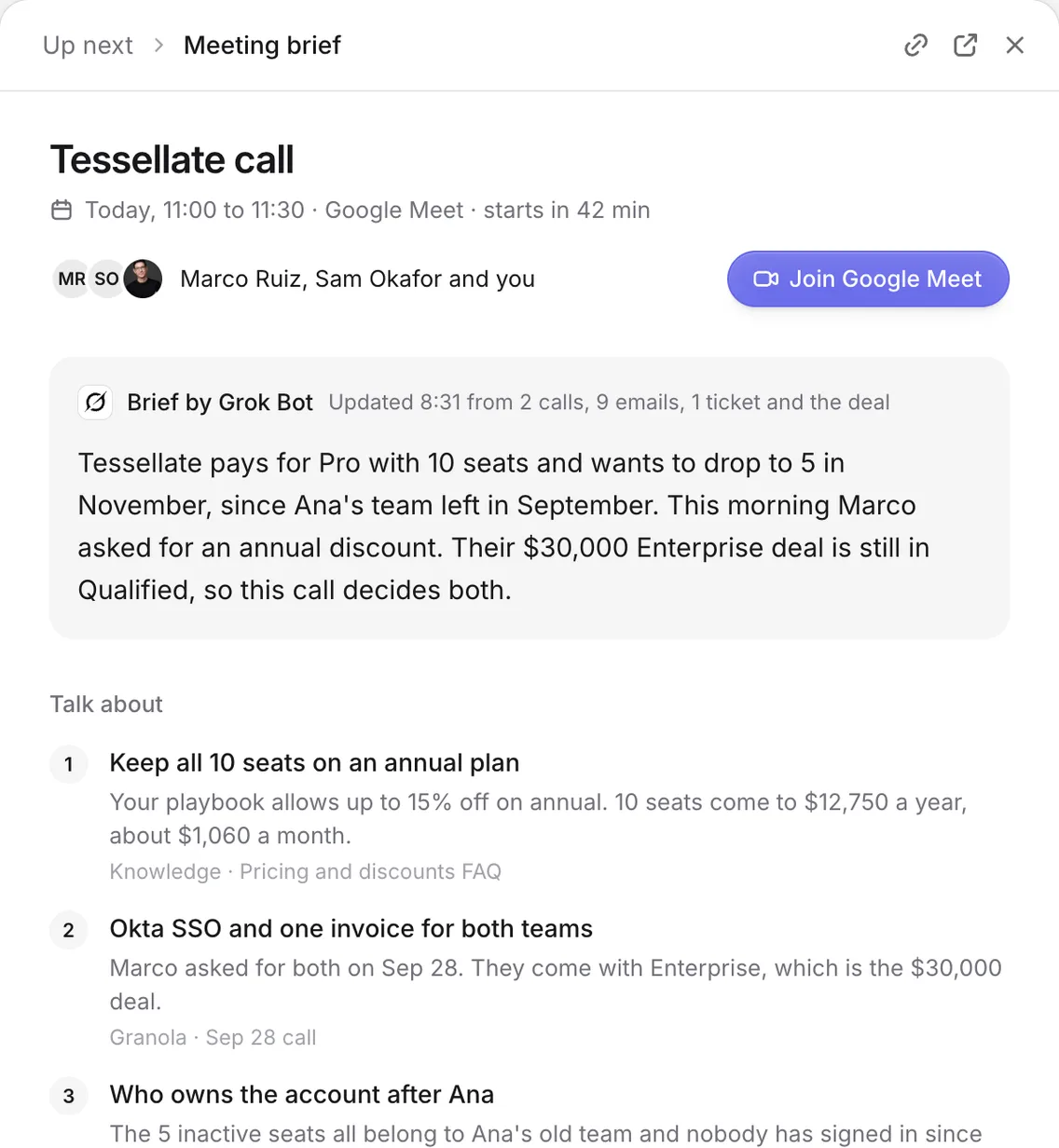
Meeting briefs
Before each meeting an agent reads past calls, emails, tickets and deals, then writes a one-page brief with what to bring up.

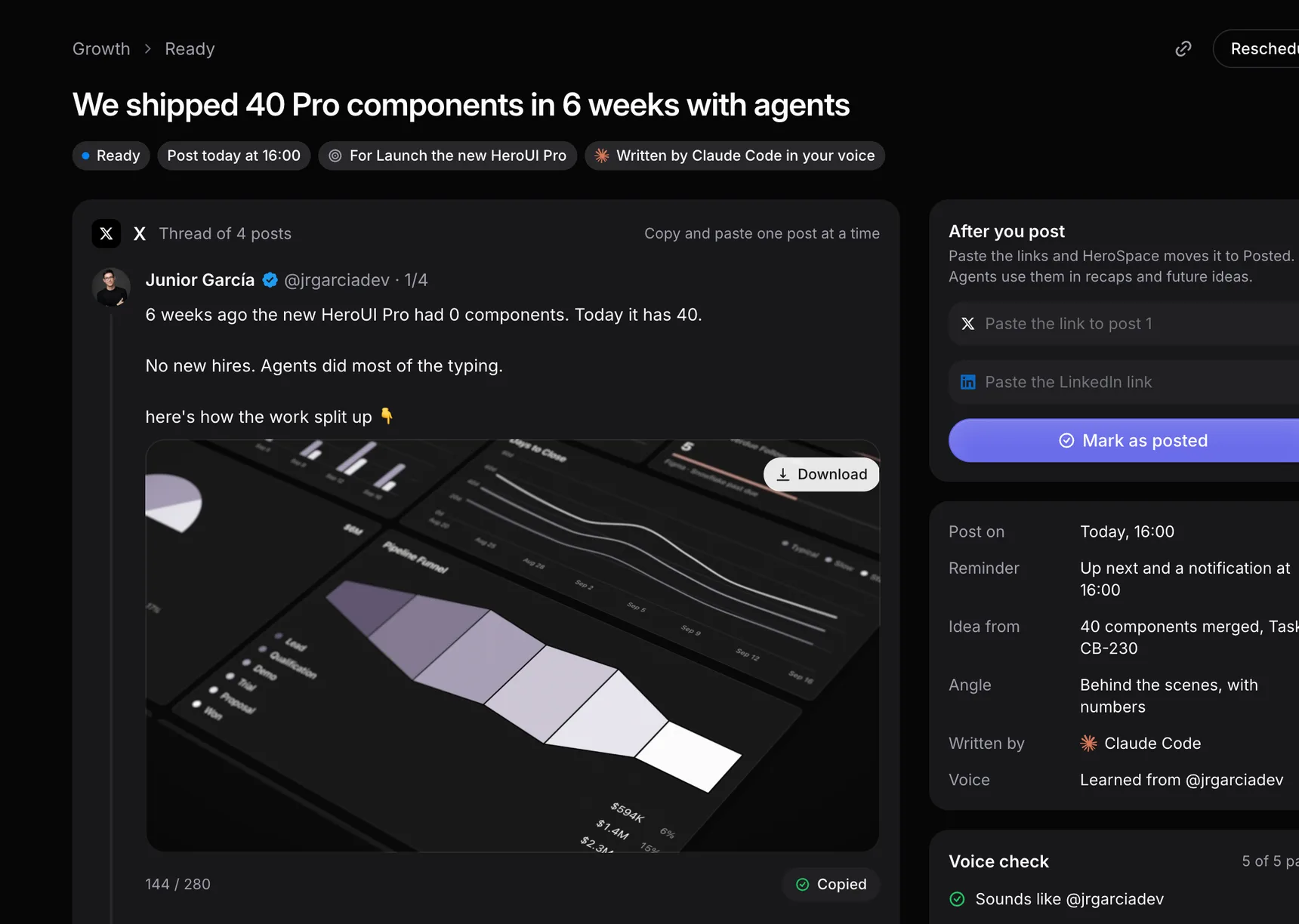
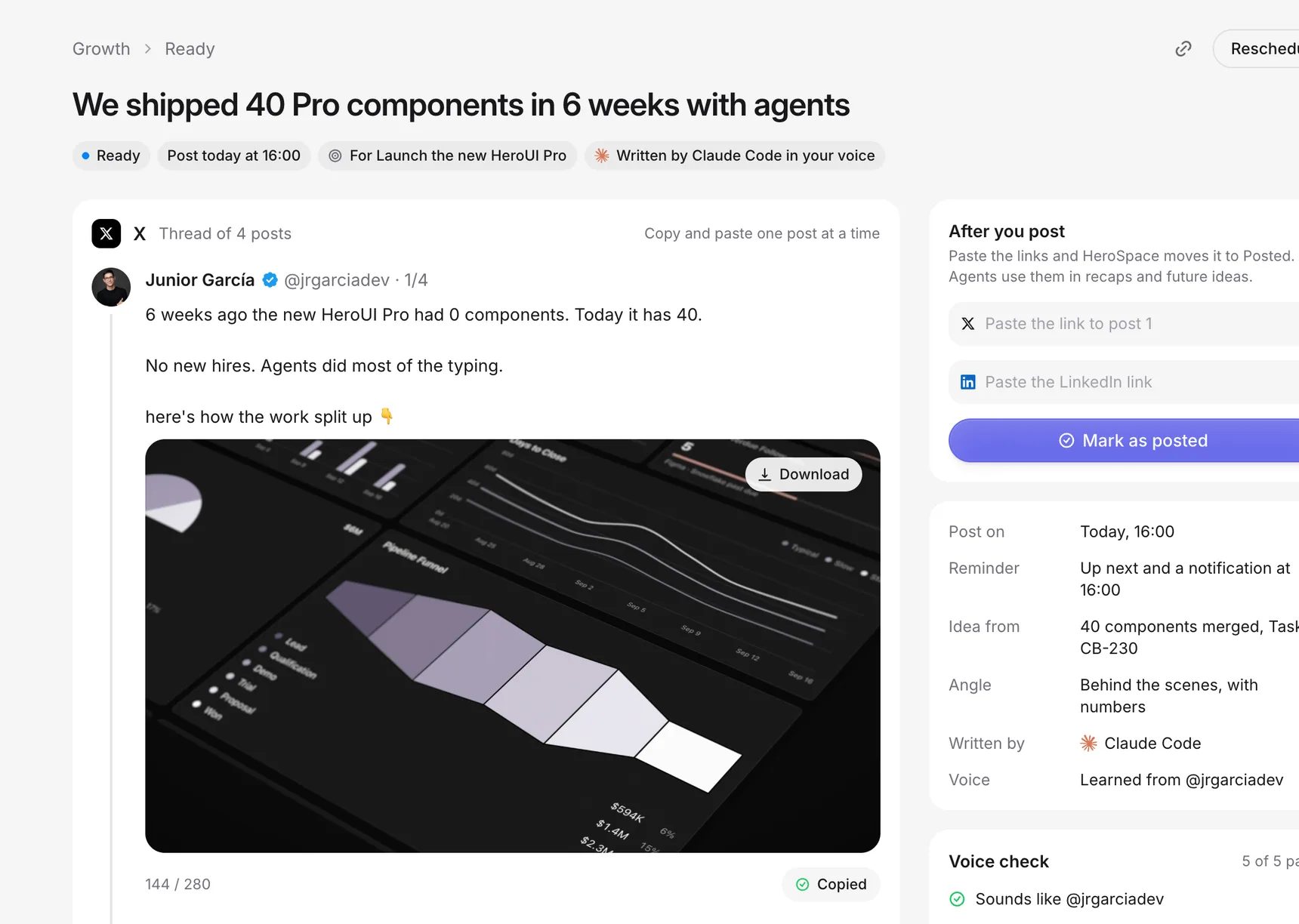
Growth
Agents spot launches, closed deals and milestones, then draft posts for X and LinkedIn in your voice. You copy, post and paste the link back.

Privacy and control
Agents only see what you share, every action is on record and anything risky waits for your yes. HeroSpace has no AI model of its own, so nothing you share is used for training.
Learn more about privacyMerges, emails, refunds and posts wait for your yes.
Each agent sees only the folders, tools and records you share.
Every tool call is logged, including the ones you blocked.
Use the Claude, ChatGPT, Cursor or Grok plan you already pay for.
Integrations
Use Claude Code, Codex, Cursor or any MCP agent on the plan you already pay for. No new AI subscription. They work in your apps with the permissions you set.
Claude Code
Your Claude plan

Codex
Your ChatGPT plan

Cursor
Your Cursor plan

Grok
Your Grok plan
Any MCP agent
Add in one command
GitHub SlackGoogle Calendar
 Gmail
Gmail Google Drive
 Notion
 Plain
Plain IntercomStripe
 Mercury
 SupabaseFeaturebase
 PaperGranola
 Circleback
 Fireflies
 Fathom
Product
An Inbox to report to, a schedule to run on, Knowledge to read, Slack to post in and Artifacts to build.
Review work, not chat logs. Every PR and draft comes with a summary.
Briefs before you wake up. Agents run on a schedule on your Mac mini.
Agents read your docs before they write, so every answer sounds like your team.
Briefs and alerts land in your channels, with a button to jump in.
Ask for a deck, get a deck. Agents turn your pipeline, tickets and docs into slides, dashboards and pages.
FAQ
Something else on your mind? Read the docs or ask us in the community.